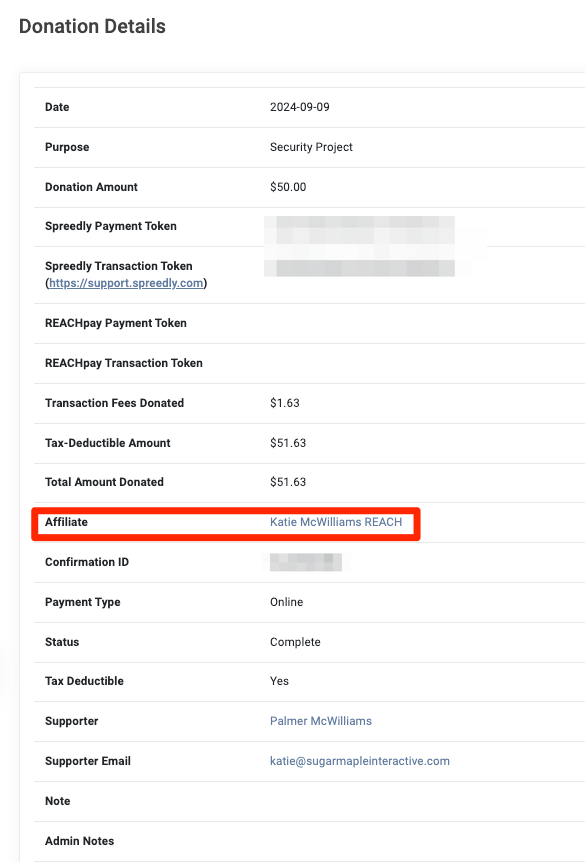
Affiliate Codes allow you to track which supporters are helping bring in new donors to your organization. When a supporter shares their unique affiliate link, any donations made through that link are credited to them. This feature is especially useful for affiliate programs or when working with influencers to promote your cause.
Affiliate Codes are fully customizable and stored within each supporter’s profile. They can be shared using a standard affiliate link, donation affiliate link, sponsorship affiliate link, or a custom donation form link, depending on what your organization wants to track. Donation activity tied to these codes can then be viewed in the Donation Details Report.
Where to Find Affiliate Codes
In REACH, each supporter has an Affiliate Code that is automatically generated by REACH and is displayed in their Supporter record under the Details tab in the Basic Info section.
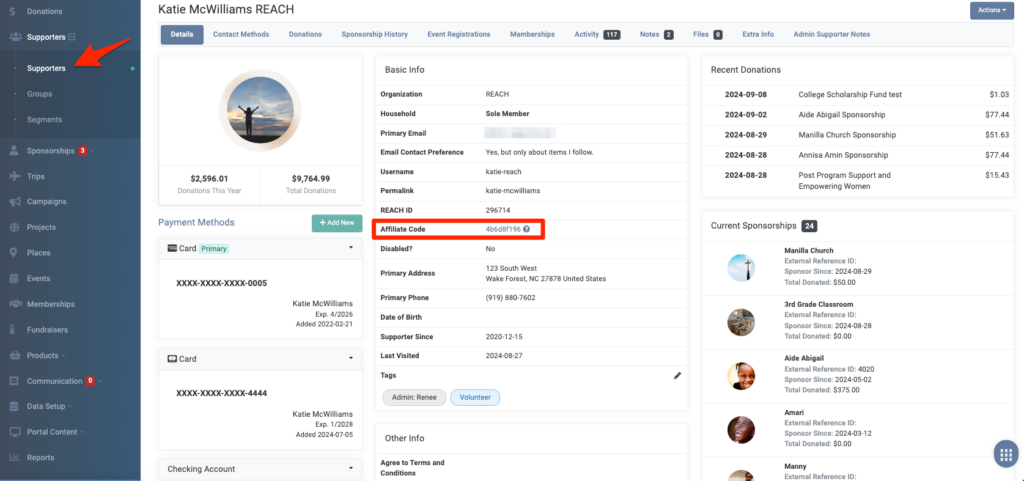
To obtain the Affiliate links, click on the Affiliate Code. The following screen will appear:
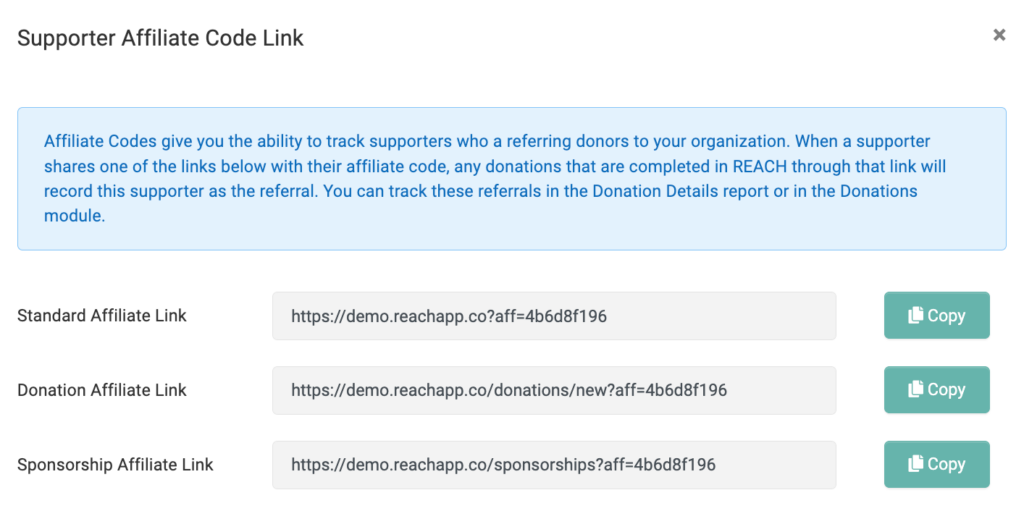
Copy and share the link you wish you track. You can monitor these referrals in the Donations Details Report.
Editing Affiliate Codes
Affiliate Codes can be customized to match a supporter’s name, username, social handle, or any other preferred identifier.
To do so:
- Click Actions > Edit
- Enter in the custom code In the Affiliate Code field
- Click Save Changes
Using Affiliates on Custom Donation Forms
REACH also allows you to create a custom donation form that can be attributed to a specific supporter.
Note: Custom Forms are available on our Essentials, Pro and Pro Plus plans.
Here’s how:
- Go to Settings > Donation Forms
- On the top right, click on Create Custom Donation Form Link
- Fill out your parameters. For more information, view our Setting Donation Parameters article.
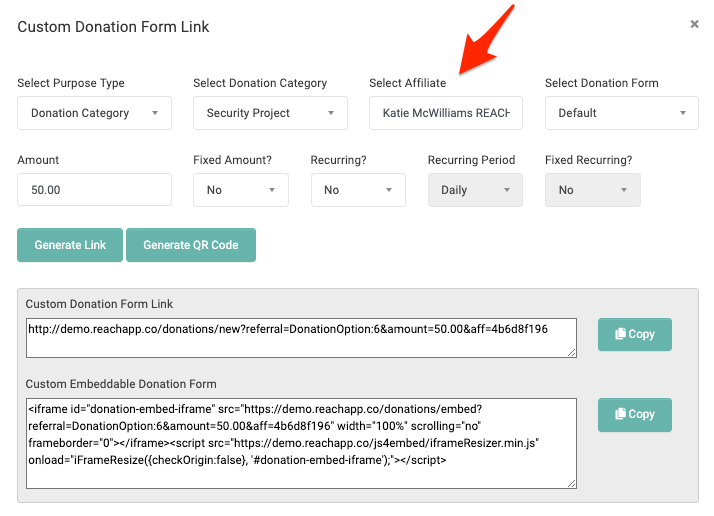
- In the Select Affiliate field, start typing the name of your supporter and it will auto-populate the filed.
- When all parameters are entered, click Generate Link to receive a Custom Donation Form Link and a Custom Embeddable Donation Form link.
- Alternatively, click Generate QR Code for a qr code to be downloaded to your computer that links to the custom donation form.
- Share the link, embed the form or share the QR code to track all donations made using this custom form to the Affiliate.
How to Track Affiliate Codes
You can track any donations made using the Affiliate Code by running a Donation Details Report.
- Go to Reports > Donation Details Report.
- Under Select Columns to Display, be sure Affiliate is checked.
- Then generate your Donation Details Report.
Any donations that were made using the Affiliate Code will be shown under the Affiliate column.
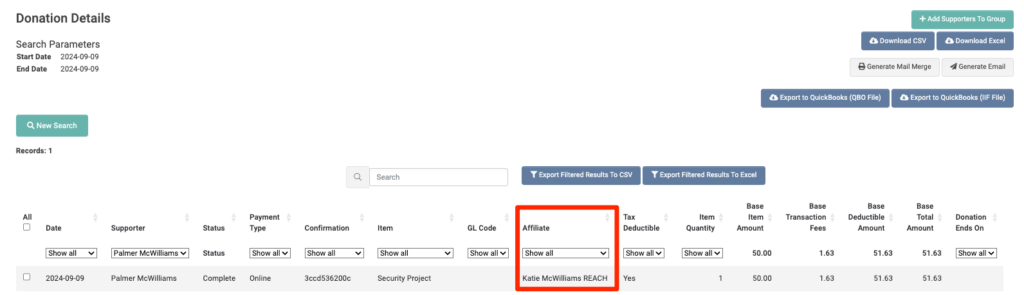
Affiliates are also shown on the individual Donation Details page.