
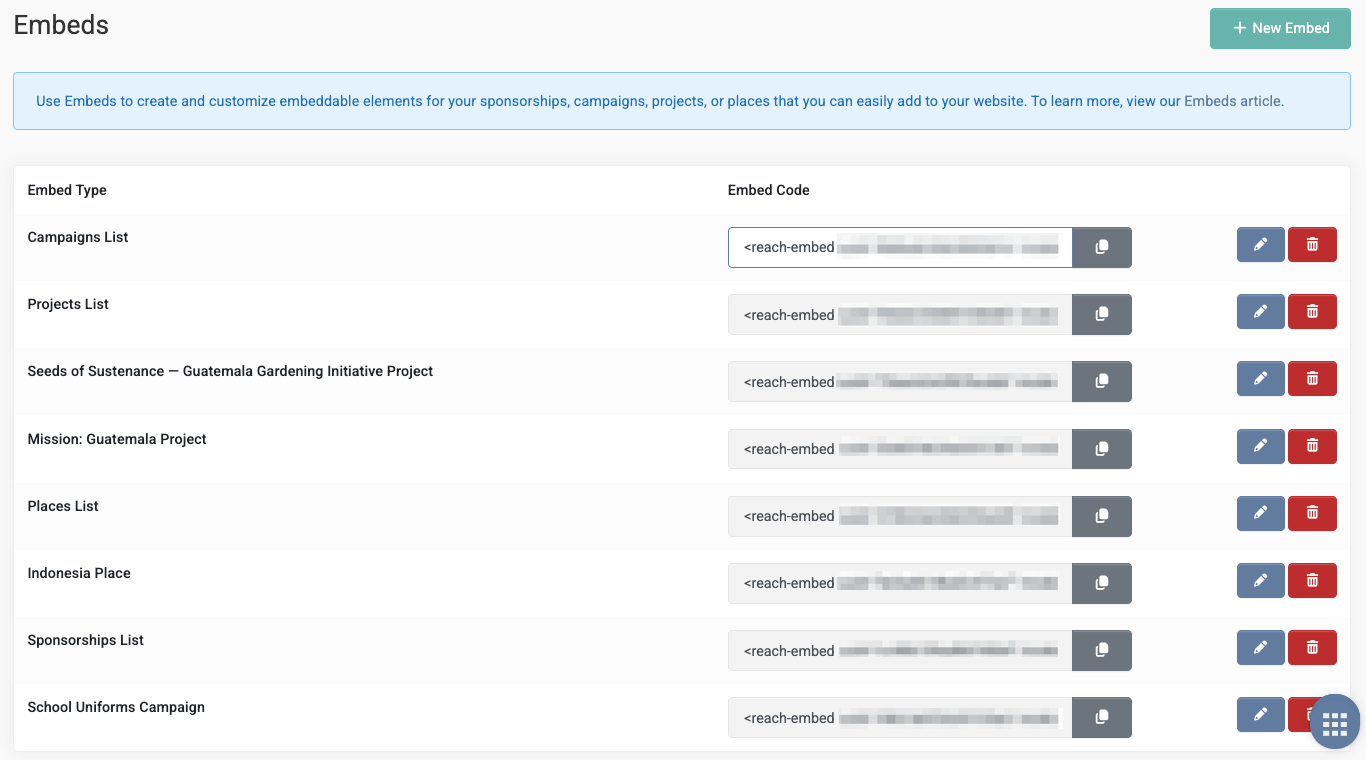
Embeds allow you to create and customize embeddable elements for your sponsorships, campaigns, projects, or places, and display them seamlessly on your website.
This feature is ideal for organizations that already have a website and want a simple way to showcase content managed in REACH, without manual updates or ongoing development work.
Tip: Watch our short video on Adding REACH Elements to Your Website (Embeds) for a quick walkthrough.
Requirements
To use embeds, you’ll need:
- An active REACH account
- A connected payment gateway (required for donation and sponsorship checkout)
Quick Links
- REACH Setup Checklist (recommended starting point)
- Sponsorships Setup Checklist (if embedding sponsorships)
- Setup a Payment Gateway (required for online giving)
Creating Embeds
Go to Settings → Embeds.
To create a new embed:
- Click + New Embed.
- Enter a reference Title for your embed.
- Select an Embed Type:
- Sponsorships List
- Campaigns
- Projects
- Places
- If you select Campaigns, Projects, or Places, choose an Embed Item:
- Show All, or
- A specific campaign, project, or place
- Choose from the available List, Filter and Display options to customize what is shown.
- Click Save
Once saved, REACH automatically generates the embed code. Click Copy, then paste the code into your website editor where you want the embed to appear.
Note: While the creation process is the same for all embeds, the available filters and display options vary by embed type, as listed below.
Sponsorships List Embed
Use the Sponsorships List embed to display a customizable list of sponsorships on your website.
Layout and display
- Choose a Horizontal or Vertical layout
- Set the number of sponsorships displayed per row
- Enable Search and Filters to allow website visitors to filter the list
Filtering sponsorships
(Available when Search and Filters is enabled)
- System filters, including:
- Biggest Need
- Status
- Type
- Place
- Project
- Age
- Month of Birth
- Day of Birth
- Custom field filters, based on any sponsorship custom fields you have configured
Displayed sponsorship details
- Limit the embed to specific Sponsorship Types, or leave blank to include all types
- Control the order sponsorships are displayed
- Select which custom fields appear on individual sponsorships
- Optionally display additional system fields such as:
- Days Waiting
- Biggest Need
- Age
- Place
- Project
- Notes
Notes
- This embed always displays sponsorships in a list format
- Updates to sponsorship data in REACH are automatically reflected in the embed
Campaigns Embed
Use the Campaigns embed to display a customizable list of campaigns on your website.
Layout and display
- Choose a Horizontal or Vertical layout
- Set the number of campaigns displayed per row
- Enable Search and Filters to allow website visitors to filter the list
Campaign display options
- Enable Show Recent Donation List to optionally display:
- Donor first name
- Donor last name
- Donation amount
- Donation location
Notes
- This embed always displays campaigns in a list format
- Updates to campaign data in REACH are automatically reflected in the embed
Projects Embed
Use the Projects embed to display a customizable list of projects on your website.
Layout and display
- Choose a Horizontal or Vertical layout
- Set the number of projects displayed per row
- Enable Search and Filters to allow website visitors to filter the list
Project display options
- Enable Show Recent Donation List to optionally display:
- Donor first name
- Donor last name
- Donation amount
- Donation location
Notes
- This embed always displays projects in a list format
- Updates to project data in REACH are automatically reflected in the embed
Places Embed
Use the Places embed to display a customizable list of places on your website.
Layout and display
- Choose a Horizontal or Vertical layout
- Set the number of places displayed per row
- Enable Search and Filters to allow website visitors to filter the list
Place display options
- Enable Show Recent Donation List to optionally display:
- Donor first name
- Donor last name
- Donation amount
- Donation location
Notes
- Updates to place data in REACH are automatically reflected in the embed
- This embed always displays places in a list format
Adding an Embed to Your Website
After copying the embed code, paste it into an HTML code block / embed element in your website builder (WordPress, Webflow, Squarespace, etc.), then publish your website changes.
Testing Your Embed
After adding an embed to your site, we recommend:
- Running a test donation or sponsorship checkout to confirm payment processing
- Testing the embed on desktop and mobile
- Confirming filters and search work as expected (if enabled)